I have my users in individual groups for their areas of the website and then some in another group that gives them access to the delete div in my simple edit layout. They can't actually delete if they don't have admin access but they can still see the button if they only have write access to an asset.
The manual doesn't go into the admin access condition on the restrictions screen. If I set this restriction will this mean they will only see my div if they have admin access?
I haven't seen conditional keywords for simple edit layout. So far as I know admin access condition is applicable in design or paintlayout.
According to my limited experiece, I don't think it's possible to control the delete div being printed or not based on asset's permission whose simple edit interface is being accessed.
The alter way is, create a user group containing all the admin users and give the group the read permission to "delete div" part in simple edit layout.
:P’ /> <img src=‘http://forums.matrix.squiz.net/public/style_emoticons/<#EMO_DIR#>/tongue.gif’ class=‘bbc_emoticon’ alt='
Robin
I'm not sure how that would stop them seeing it on assets that they didn't have admin access over… unless I made a lot of groups I guess…
Rachel, is this just a button that you created yourself?
What I would do is add it to something like a standard page and give it admin permissions only. Then, create an asset listing what looks for standard pages (should just find that one) and set the Asset Access to List to Admin. Then, nest this page into your simple edit page, or where ever you need it, and it should only list that standard page, which has your delete button, if they are an admin.
Yeah, it is just a button that passes the url through to a trigger.
I tried to do what you suggested in the hope that I would understand as I went along but I'm afraid I don't. 
What permissions do I set where? My problem is that some groups have admin access to some news items, and some have admin access to other news items, but because the layouts are the same for everyone I'm struggling to find the permissions combination that will mean the button only shows if the user has admin access to the news item they are currently editing in simple edit.
Hmmm, then I am not sure my suggestion will work in this situation, since other users might have admin permissions. I guess I really am not sure of any other way to do that.
Hi Rachel,
Nic's solution still works in this situation as I see.
You can print the "delelte" button in listed item in asset listing page, would you put up a screen dump of the current simple edit interface so I can explain my suggestion?
Robin
Sure… not quite sure what you want a screengrab of, so here is an asset that has the nest content applied. It has admin access but the delete doesn't show. Also a screengrab of my settings on the asset listing. Let me know if you want a grab of anything else.
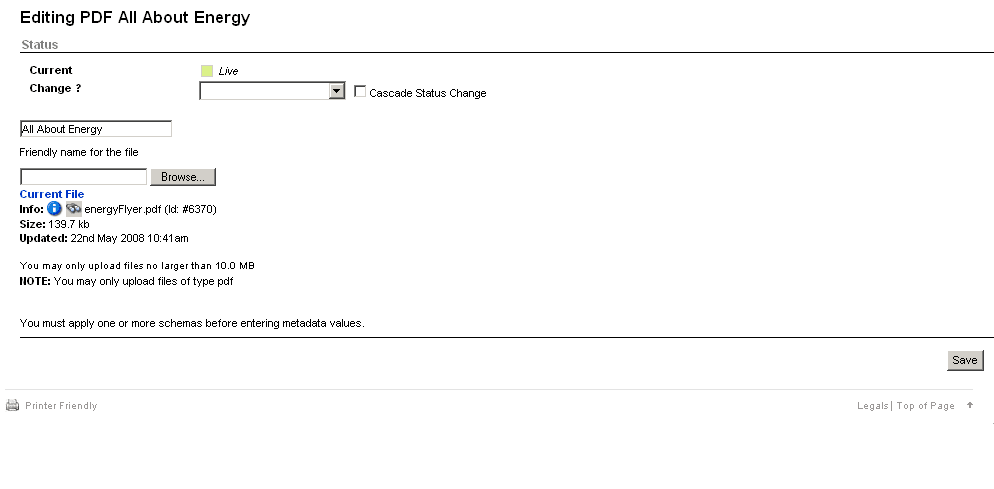
[attachment=358:simpleeditshot.gif]
[attachment=357:simpleeditasset.gif]
simpleeditasset.gif (18.8 KB)
simpleeditshot.gif (6.67 KB)

Hi Rachel,
I don't think it's possible to tell the current asset's simple edit interface not to print the delete div according to write/admin permission of the asset. The user who has higher permission than(inclusive) write permission is able to access the simple edit interface and see the delete div, which is explained in post 2.
The only way is to print the button in the nested asset listing which listed out the asset's which the user has the admin access permission. (see the pic)
:rolleyes:' /> nic_plugin.jpg (30.2 KB)
Thanks so much for all your help Robin. I will need to think all this through. I don't really want to show lists of assets, which is why I haven't implemented Nic's plugin yet, but perhaps there is no other good way…
You can nest an asset listing that lists assets to which you have admin permission, and in 3.18.x you can set the min and max depth to 0 which will only list the current asset. Then you can put the button in the type format.
Min and max depth=0 are only a 3.18 feature though, to let you include the root node (which you set to current asset).
I will schedule an upgrade to 3.18. But sorry to sound dense… I want the delete button to show if the person has admin access to the asset they are currently viewing on the simple edit screen… setting the asset listing to admin access is just about user access to what it lists not user access to where it's nested… that's my understanding…
Does not compute!
[quote]I will schedule an upgrade to 3.18. But sorry to sound dense… I want the delete button to show if the person has admin access to the asset they are currently viewing on the simple edit screen… setting the asset listing to admin access is just about user access to what it lists not user access to where it's nested… that's my understanding…
Does not compute! :([/quote]
Yes Rachel, that is correct. That is why I was saying me solution wouldn't really work in this situation.
[quote]I will schedule an upgrade to 3.18. But sorry to sound dense… I want the delete button to show if the person has admin access to the asset they are currently viewing on the simple edit screen… setting the asset listing to admin access is just about user access to what it lists not user access to where it's nested… that's my understanding…
Does not compute! :([/quote]
Rachel,
I think this might be Justin's suggestion if i am correct.
it's good idea to upgrade to 3.18.7 directly.
:rolleyes:’ /> <img src=‘http://forums.matrix.squiz.net/public/style_emoticons/<#EMO_DIR#>/rolleyes.gif’ class=‘bbc_emoticon’ alt=':rolleyes:
Robin
crazy.jpg (37.5 KB)

We are on 3.16.12 at the moment and will hopefully upgrade to whatever is the latest come January '09 so I shall have to revisit this topic again then!
Thanks again for all your help everyone! 